Releases & Versioning
You can track the effect of changes to your LLM app on metrics in Langfuse. This allows you to:
- Run experiments (A/B tests) in production and measure the impact on costs, latencies and quality.
- Example: "What is the impact of switching to a new model?"
- Explain changes to metrics over time.
- Example: "Why did latency in this chain increase?"
Releases vs versions
A release tracks the overall version of your application. Commonly it is set to the semantic version or git commit hash of your application.
The version parameter can be added to all observation types (e.g., span, generation, event, and other observation types). Thereby, you can track the effect of a new version on the metrics of an object with a specific name using Langfuse analytics.
| Release | Version | |
|---|---|---|
| Scope | Entire application | Individual observations with a given name |
| Typical value | Semantic version or git commit hash | Component version, for example 1.0 |
| When to use | You deployed a new application build | You changed a specific prompt, chain, or generation |
In Langfuse
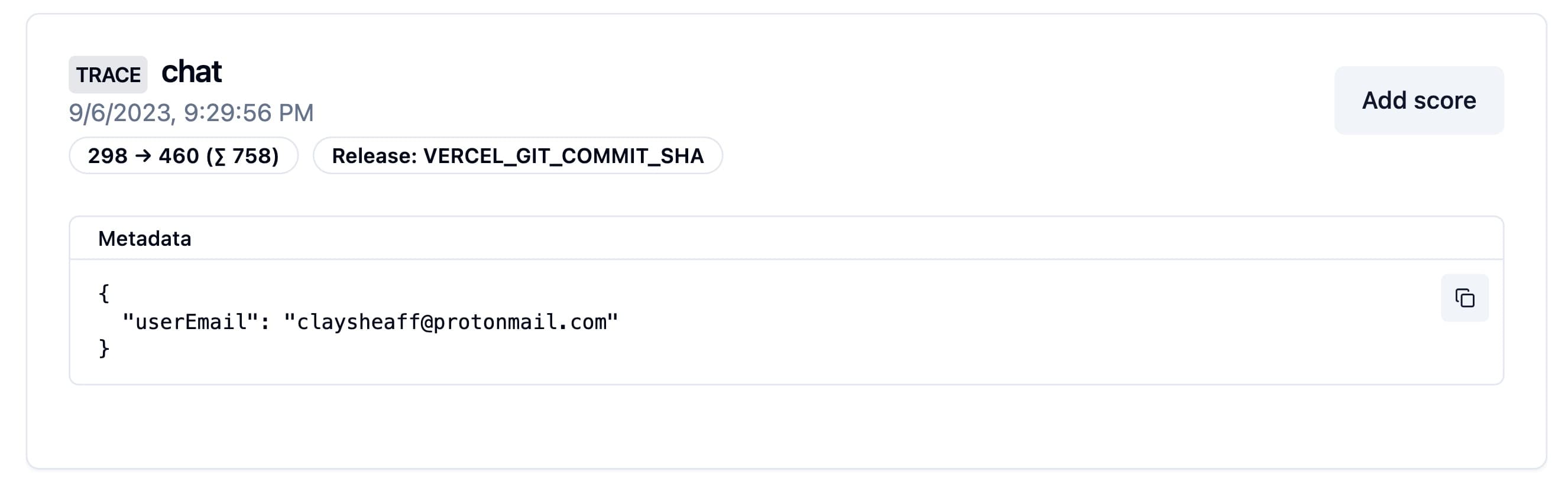
Both values appear on traces and observations in Langfuse. Filter by them to isolate a deployment or a component change, compare costs, latencies, and quality across them in analytics, or use them to explain why a metric shifted after a change.
Release in Langfuse interface
Version parameter in Langfuse interface

Set a release
The SDKs look for a release in the following order:
- SDK initialization
- Environment variable
- Automatically set release identifiers on popular deployment platforms
Initialization
The Python SDK allows you to set the release when initializing the client:
from langfuse import Langfuse

# Set the release when initializing the client
langfuse = Langfuse(release="v2.1.24")
The JS/TS SDK will look for a LANGFUSE_RELEASE environment variable. Use it to configure the release e.g. in your CI/CD pipeline.
LANGFUSE_RELEASE = "<release_tag>" # <- github sha or other identifierThe SDKs will look for a LANGFUSE_RELEASE environment variable. Use it to configure the release e.g. in your CI/CD pipeline.
LANGFUSE_RELEASE = "<release_tag>" # <- github sha or other identifierAutomatically on popular platforms
If no other release is set, the Langfuse SDKs default to a set of known release environment variables.
Supported platforms include: Vercel, Heroku, Netlify. See the full list of support environment variables for JS/TS and Python.
Set a version
Set Version on all observations within a context:
from langfuse import observe, propagate_attributes

@observe()
def process_data():
    # Propagate version to all child observations
    with propagate_attributes(version="1.0"):
        # All nested operations automatically inherit version
        result = perform_processing()

        return result
When creating observations directly:
from langfuse import get_client, propagate_attributes

langfuse = get_client()

with langfuse.start_as_current_observation(as_type="span", name="process-data") as span:
    # Propagate version to all child observations
    with propagate_attributes(version="1.0"):
        # All observations created here automatically have version="1.0"
        with span.start_as_current_observation(
            as_type="generation",
            name="guess-countries",
            model="gpt-4o"
        ) as generation:
            # This generation automatically has version="1.0"
            pass
Version on a specific observation:
from langfuse import get_client

langfuse = get_client()

with langfuse.start_as_current_observation(as_type="span", name="process-data", version="1.0") as span:
    # This span has version="1.0"
    pass
Propagating version to all observations within a context:
import { startActiveObservation, propagateAttributes } from "@langfuse/tracing";

await startActiveObservation("process-data", async (span) => {
  // Propagate version to all child observations
  await propagateAttributes(
    {
      version: "1.0",
    },
    async () => {
      // All observations created here automatically have version="1.0"
      const generation = startObservation(
        "guess-countries",
        { model: "gpt-4" },
        { asType: "generation" }
      );
      // This generation automatically has version="1.0"
      generation.end();
    }
  );
});
Version on a specific observation:
import { startObservation } from "@langfuse/tracing";

const generation = startObservation(
  "guess-countries",
  { model: "gpt-4" },
  { asType: "generation" }
);
generation.update({ version: "1.0" });
generation.end();
from langfuse import propagate_attributes
from langfuse.langchain import CallbackHandler
handler = CallbackHandler()
# Propagate version to all observations created within the scope
with propagate_attributes(version="1.0"):
chain.invoke({"input": "<user_input>"}, config={"callbacks": [handler]})import { CallbackHandler } from "@langfuse/langchain";
const handler = new CallbackHandler({
version: "1.0",
});Note on Attribute Propagation
- Values must be strings ≤200 characters
- Call early in your trace to ensure all observations are covered. This way you make sure that all Metrics in Langfuse are accurate.
- Invalid values are dropped with a warning
Related resources
- To A/B test prompt versions in production, see A/B Testing.
- To benchmark application changes on datasets, see Datasets and Experiments via UI.
- To compare costs, latencies, and quality by release or version, see Metrics and Custom Dashboards.
Last edited


